Connect tryallapi to WorkBuddy: One Key for GPT-6, Claude and Gemini — Set Up in 3 Minutes
WorkBuddy supports custom models — anything OpenAI-compatible can be plugged in. This walkthrough uses tryallapi: one Base URL, one key, 370 models on tap. Includes signup and key creation, the exact WorkBuddy add-model fields, advanced toggles, a price table for 6 recommended models and a 5-point pitfall checklist.
Connect tryallapi to WorkBuddy: One Key for GPT-6, Claude and Gemini — Set Up in 3 Minutes
WorkBuddy is great, but the default models eventually run short: you want Claude to write code, Gemini to read images, GPT-6 for long reasoning — and getting there means opening an account per provider, binding an overseas card, and juggling a pile of keys. The setup alone kills your momentum.
The thing is, WorkBuddy left a door open: custom models. Anything speaking the OpenAI-compatible protocol can be plugged in. This walkthrough uses tryallapi — one key, one endpoint, 370 models to switch between.
1. What Is tryallapi?
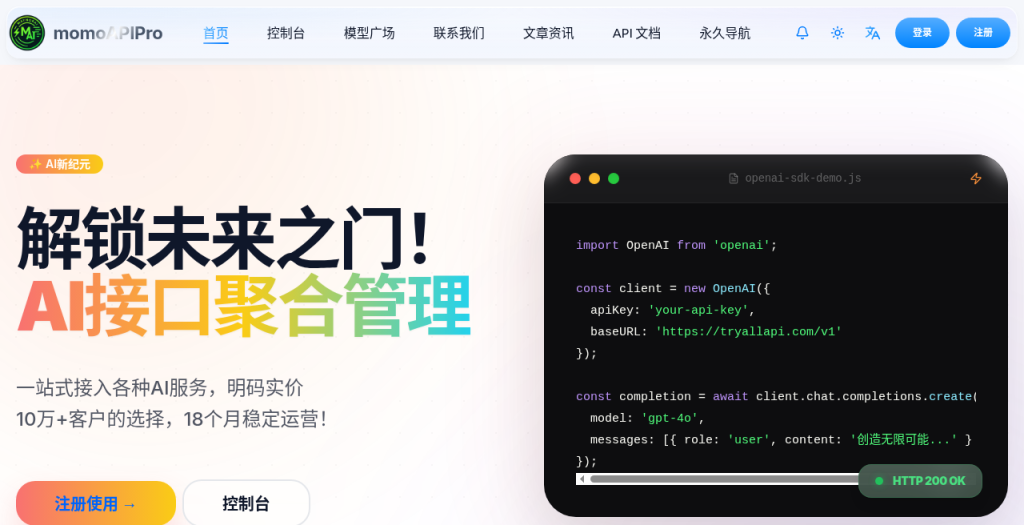
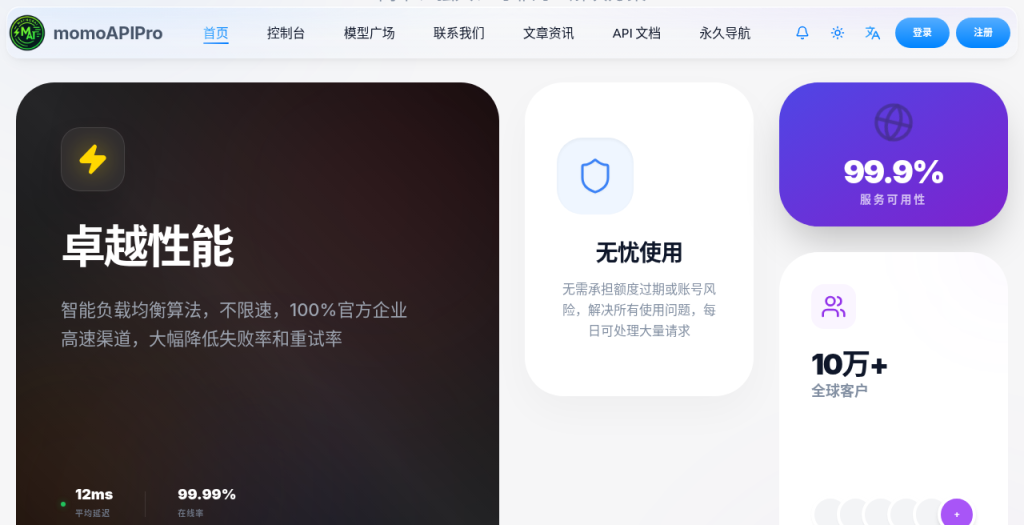
tryallapi (momoAPIPro) is an AI API aggregation platform that is fully OpenAI-protocol compatible, pay-per-use with transparent pricing. The site advertises "the choice of 100,000+ customers, 18 months of stable operation."
For WorkBuddy users, three things matter most:
- One endpoint covers everything: the Base URL is
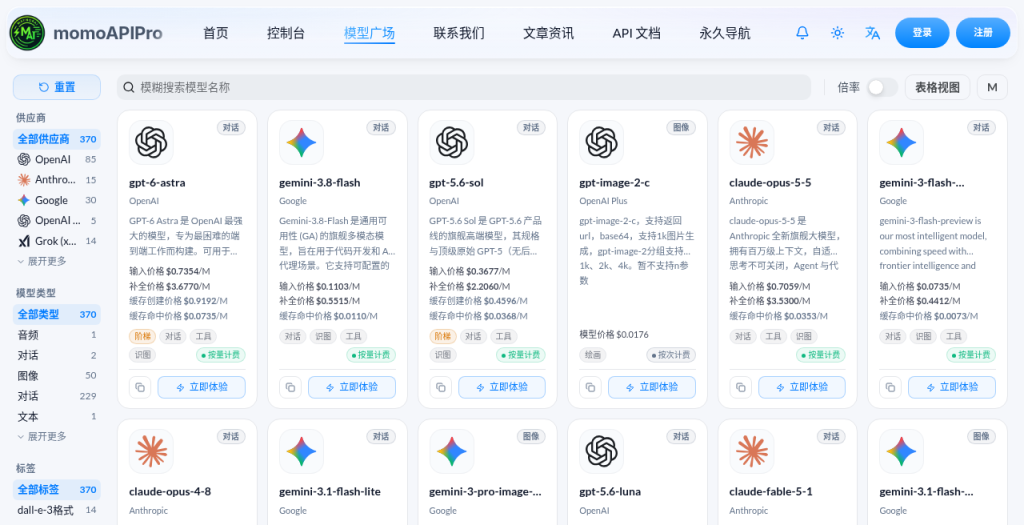
https://tryallapi.com/v1, shared by all models — switching models only means changing the model name. - Huge model catalog: the model plaza currently lists 370 models — 85 from OpenAI, 30 from Google, 15 from Anthropic, 14 Grok, plus DeepSeek, Kimi, GLM and Qwen, along with image, video and music models.
- Low barrier: top up from as little as $1, pay with WeChat, Alipay or bank card, with discounts on larger top-ups.
2. Step One: Sign Up and Create an API Key
- Open tryallapi.com, register and log in.
- Go to the console and top up a small amount ($1 is enough to try).
- On the console's token (API Key) page, create a new key and copy it somewhere safe.
A key is effectively your wallet password — don't post it in group chats or commit it to public repos.
3. Step Two: Add the Model in WorkBuddy
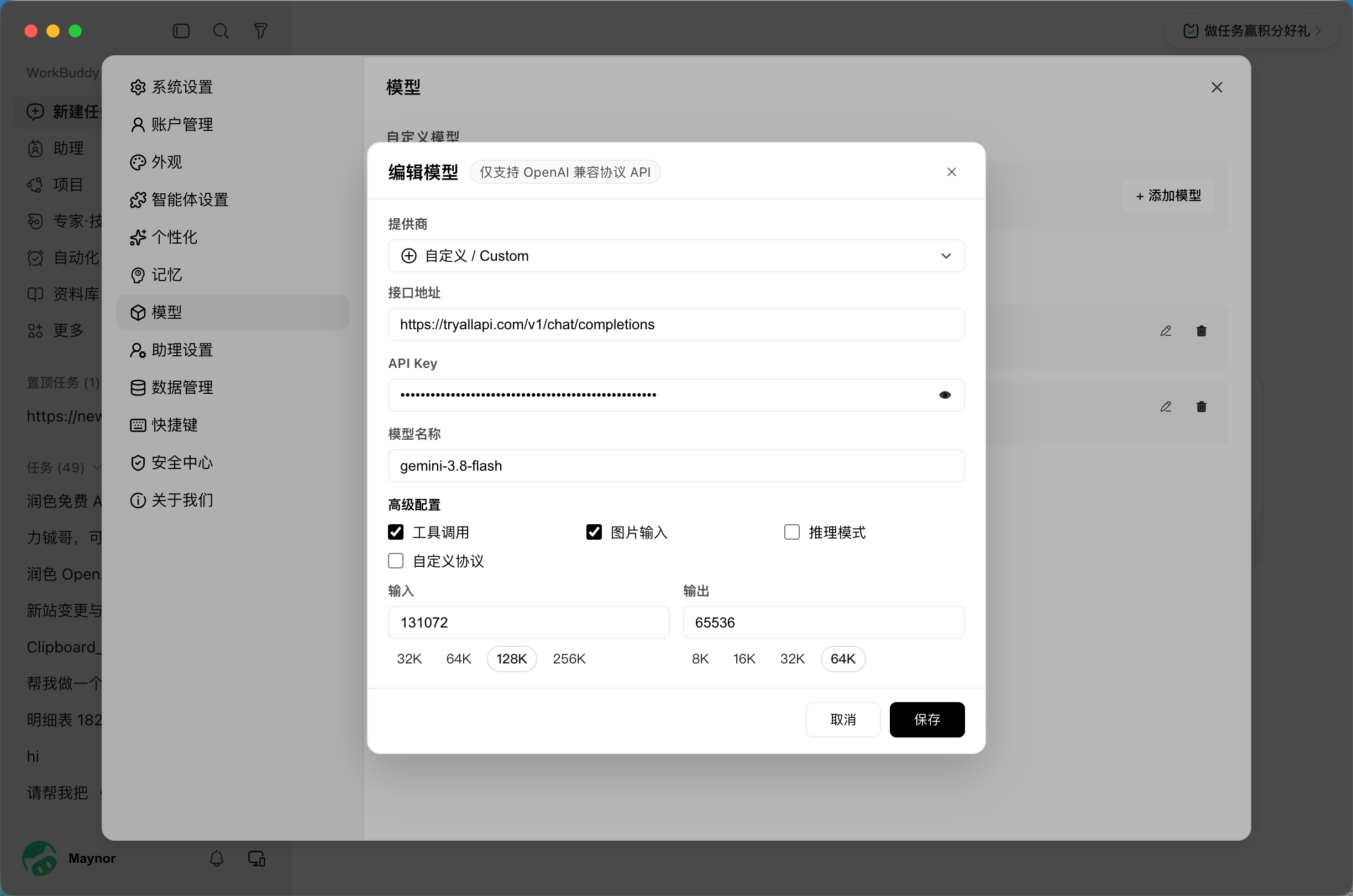
Open WorkBuddy and go to Settings → Models → Custom Models → + Add Model. You'll get this dialog (top right notes "OpenAI-compatible API only" — which tryallapi satisfies exactly):
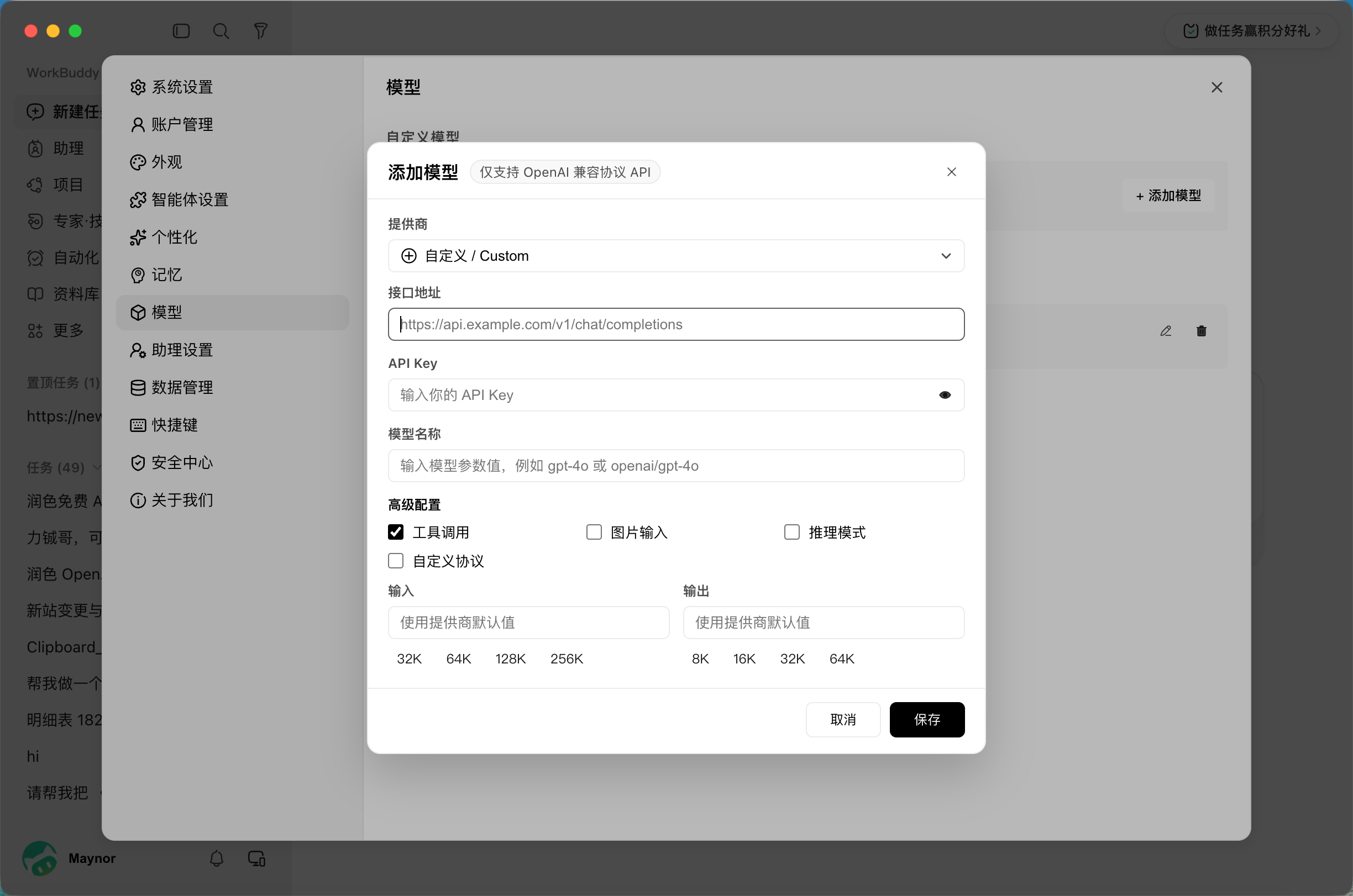
Fill it in like this:
| Field | What to enter |
|---|---|
| Provider | Custom |
| Endpoint | https://tryallapi.com/v1/chat/completions |
| API Key | The key you copied in the previous step |
| Model name | e.g. gemini-3.8-flash (use exactly what the model plaza shows) |
Advanced settings — check them according to the model's abilities:
- Tool calling: WorkBuddy needs this for tools and agent tasks — recommended on.
- Image input: only tick it if the model actually supports vision, e.g. Gemini, GPT-6, Claude families.
- Reasoning mode: enable it for reasoning-class models.
- Input / Output: context length. Gemini 3.8 Flash can take 128K input (131072) and 64K output (65536).
Once filled in, it looks roughly like this:
Hit Save, go back to the chat, pick the model you just added from the model list, and start talking.
Want several models? Click "Add Model" again — same endpoint, same key, just a different model name.
4. Recommended Models (With Pricing)
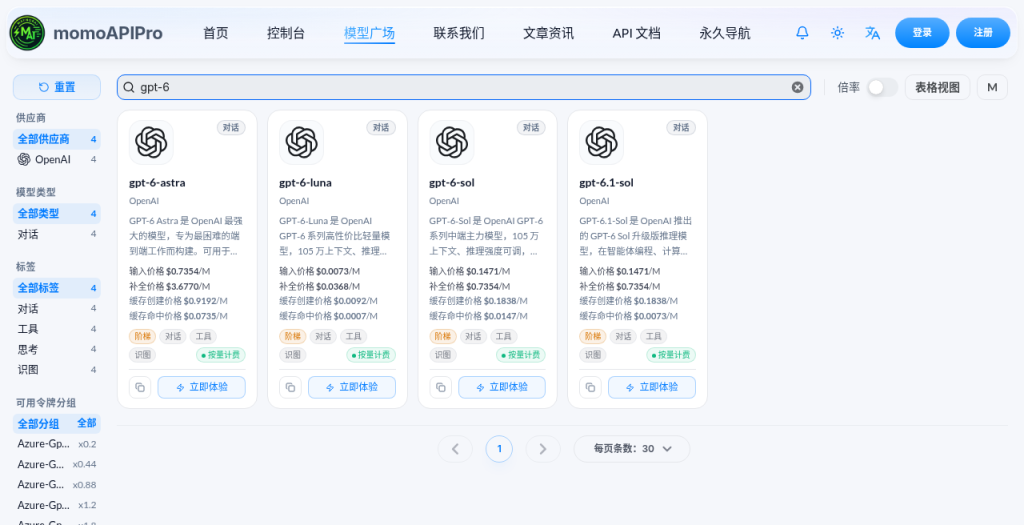
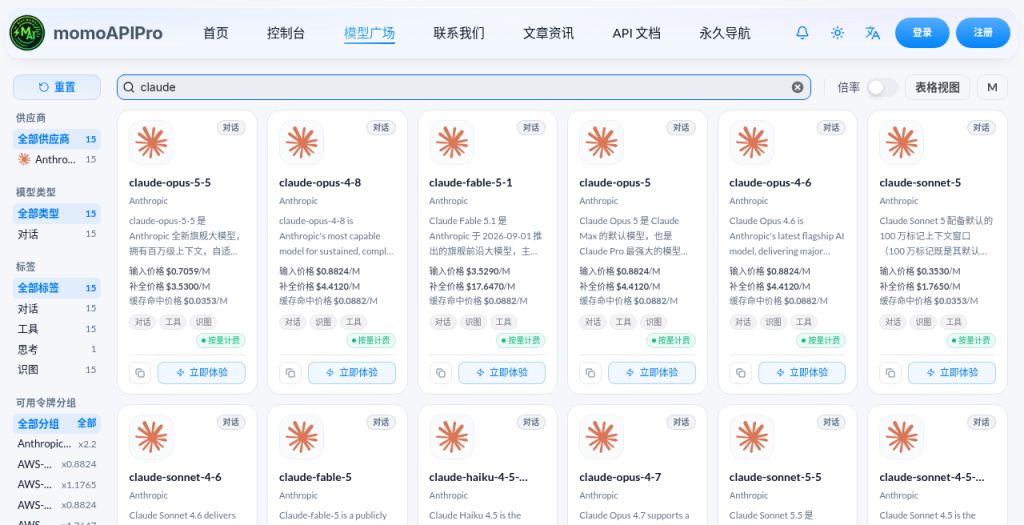
Below are the default prices shown in the model plaza, in USD per million tokens — defer to the official site for the current numbers:
| Model | Good for | Input | Output |
|---|---|---|---|
gemini-3.8-flash |
Daily driver: vision, long text, cheap and fast | $0.1103 | $0.5515 |
gpt-6-sol / gpt-6.1-sol |
Strong all-round ability, great price-performance | $0.1471 | $0.7354 |
gpt-6-luna |
Lightweight and batch work — almost free | $0.0073 | $0.0368 |
gpt-5.6-sol |
The reliable veteran: writing and code both fine | $0.3677 | $2.2060 |
claude-opus-5-5 |
Coding and complex long tasks | $0.7059 | $3.5300 |
gpt-6-astra |
Flagship reasoning, the really hard problems | $0.7354 | $3.6770 |
My suggestion: keep Gemini 3.8 Flash or GPT-6 Sol as your daily model, and switch to Claude Opus or GPT-6 Astra only when you hit something hard. Spend where it counts.
5. Pitfall Checklist
- Use the full endpoint. In WorkBuddy you need the complete
https://tryallapi.com/v1/chat/completions; stopping at/v1may fail to connect. - The model name must be character-perfect. Copy it straight from the model plaza — matching case and hyphens.
- Don't tick image input indiscriminately. Enable it on a text-only model and uploads will error out.
- Don't exceed the context limit. Set input/output lengths to what the model actually supports; too large and requests may fail.
- On errors, check balance and key first. 401 usually means a wrong key; insufficient balance rejects requests outright.
Wrapping Up
WorkBuddy does the work; tryallapi supplies the brains. One key puts GPT-6, Claude and Gemini all inside — switch to whichever you need, and stop wrestling with a separate setup for every provider.
👉 Sign up now: tryallapi.com 📖 API docs: tryallapi documentation 💬 Questions? Reach support on QQ: 1002569303